
Features
Every feature, screen by screen
This page walks through OpenV in the order a project uses it, with screenshots of the sample product, a desktop CNC mill. Each section links to its manual chapter and, where there is one, its video.
Projects and programmes
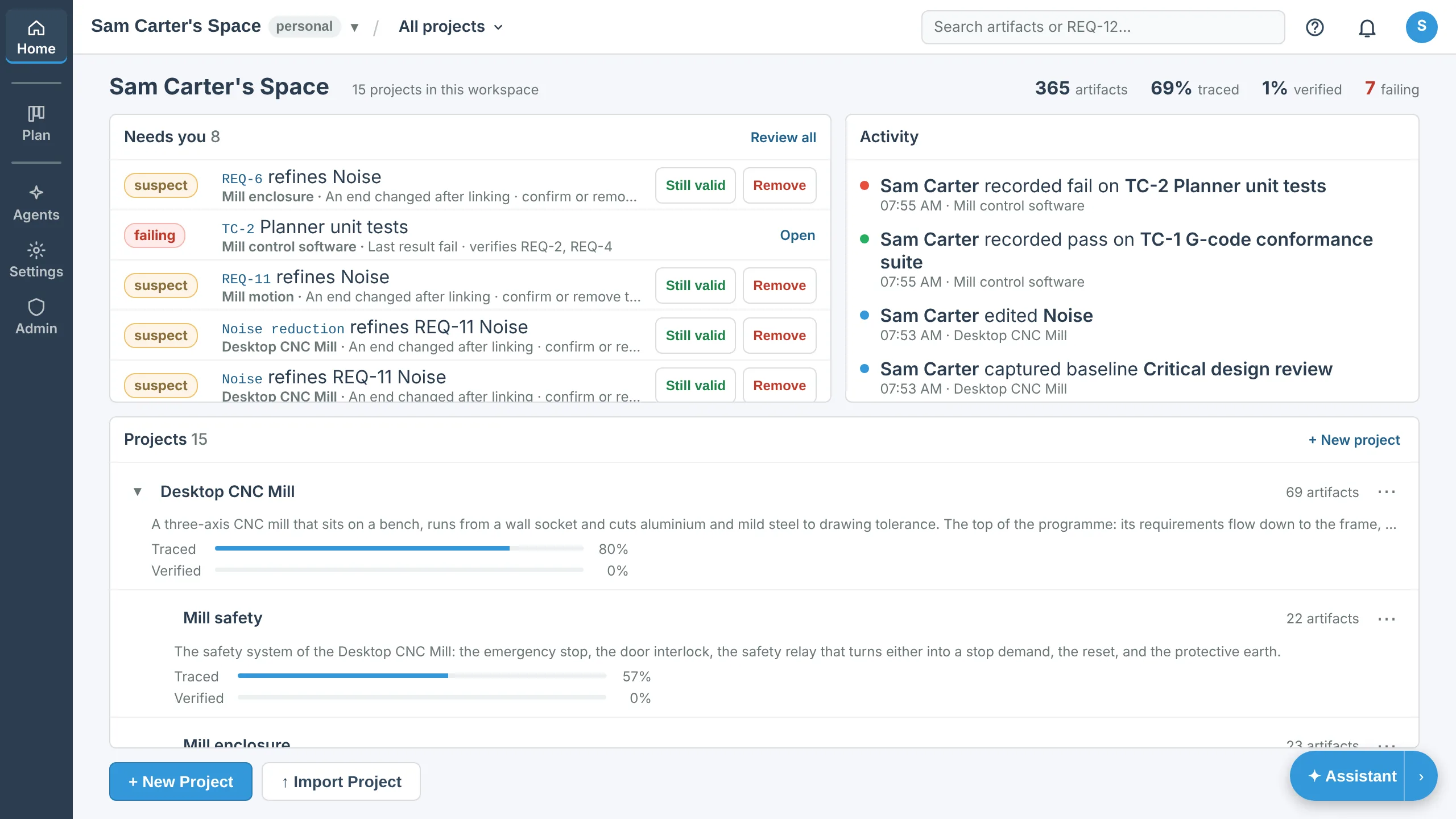
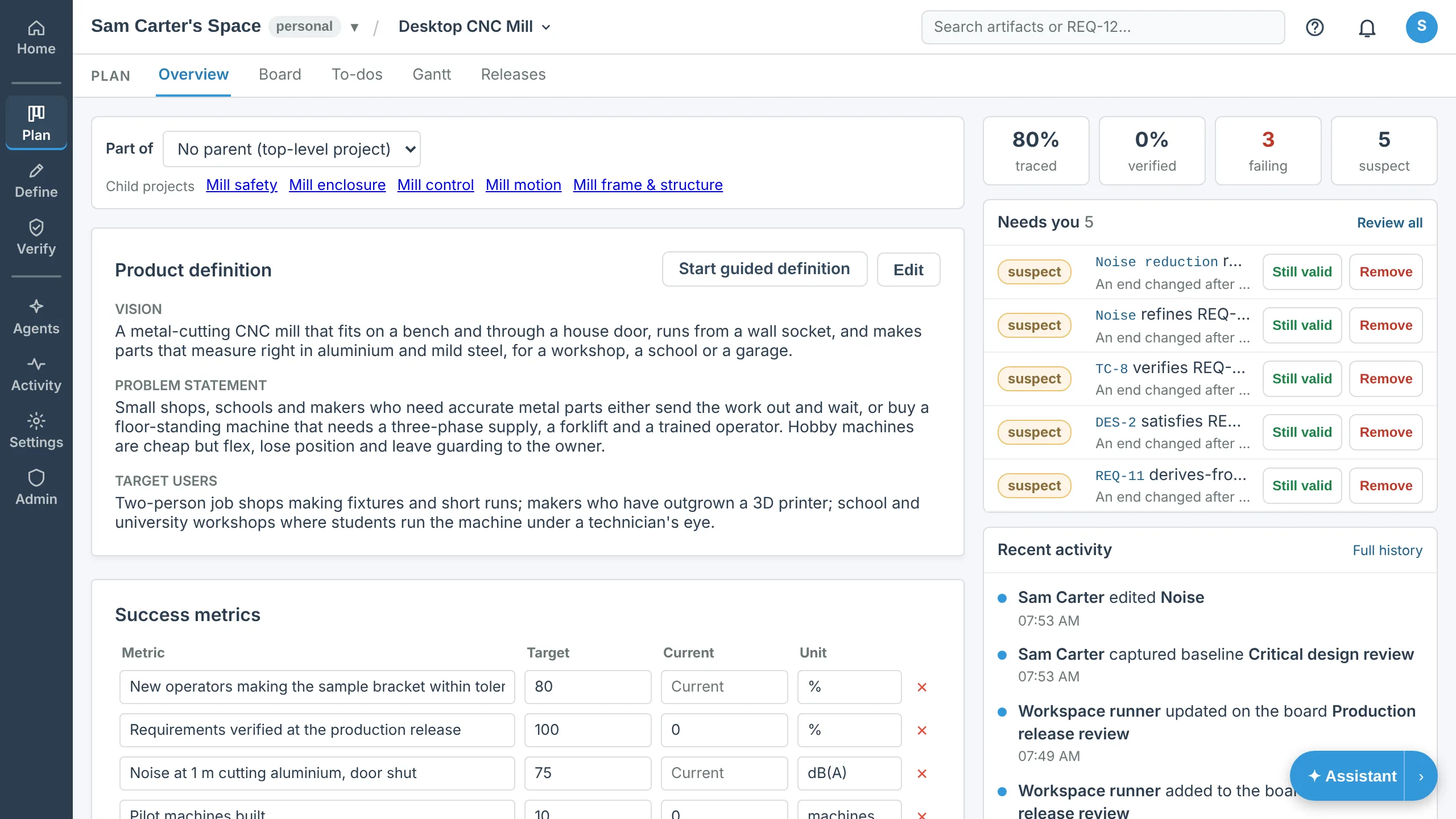
A project holds one product, or one part of a product. File a project under another and it becomes part of a programme: the mill is fifteen projects, from the whole machine down to its motors and its software.
Each project opens on an overview of what the product is for, who it is for, the limits it works within and how you will know it has succeeded.
Manual: Projects & members · Video: Getting started: a new project, start to finish
Requirements, needs, design and hazards
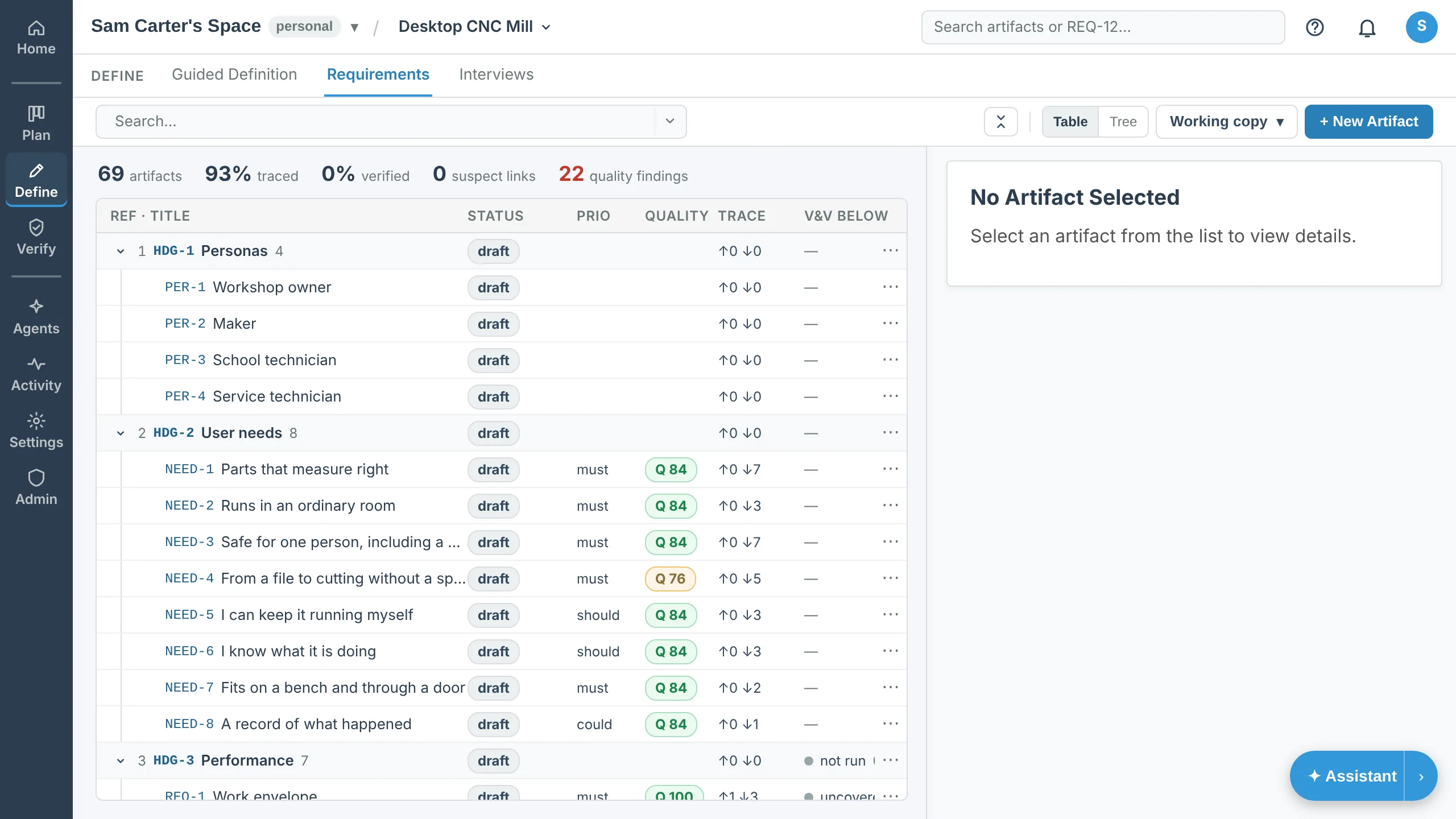
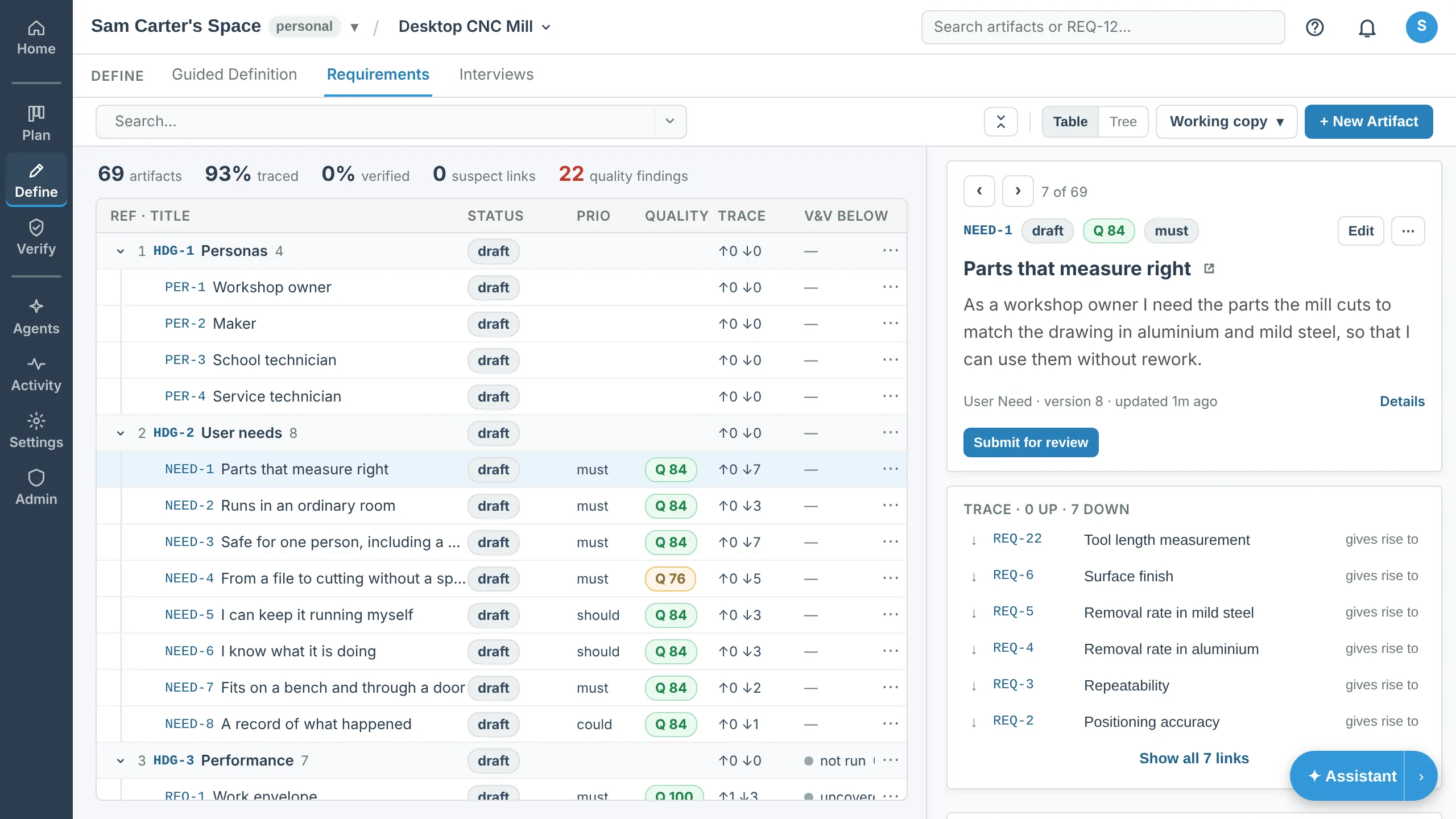
Write requirements, user needs, design items, hazards and test cases as artifacts. Each gets a reference that never changes, a status, a priority and the fields your project defines, and every version is kept.
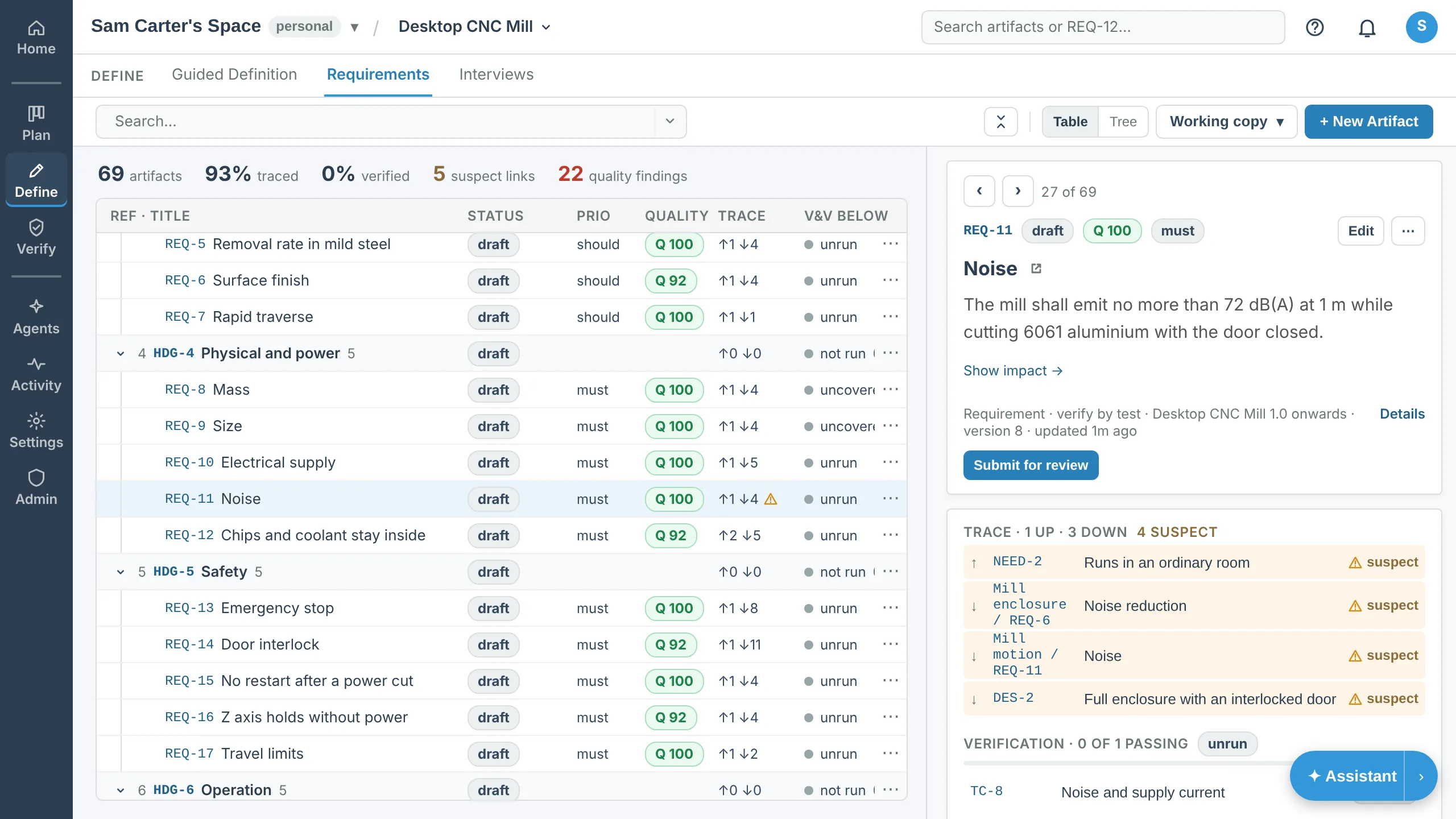
The table shows the whole project with its trace and verification at a glance; the tree shows it as an outline. Open an artifact to read it and its links beside the list.
Manual: Requirements & artifacts · Video: Requirements and the project tree
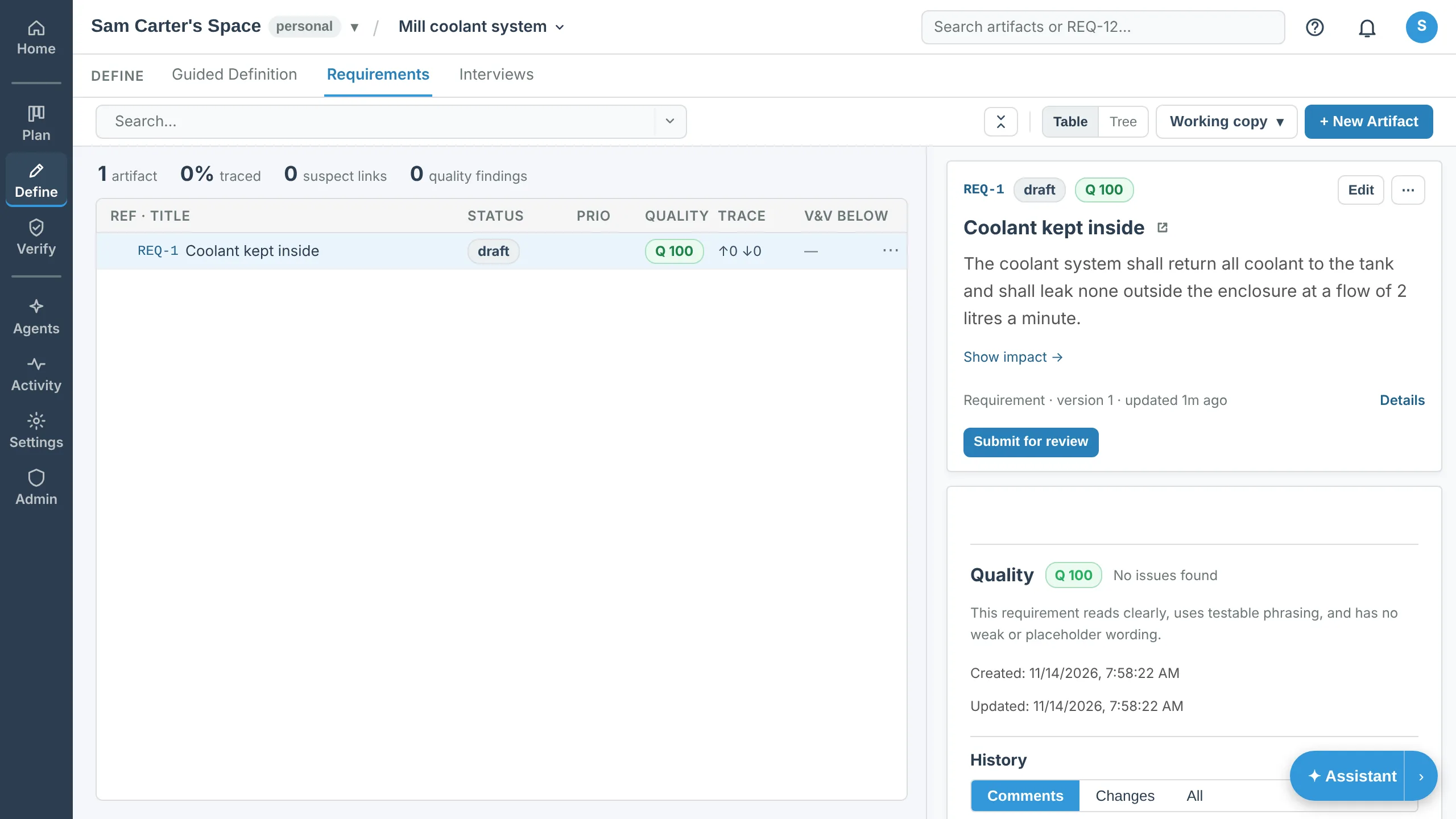
Wording checks
Every requirement is checked against the wording convention the project chose, ISO/IEC/IEEE 29148 "shall" or RFC 2119. Weak words, vague quantities, passive voice and untestable phrasing are marked, with a score out of a hundred. The check advises and never blocks a save.
Manual: Requirements & artifacts · Video: Requirements and the project tree
Traceability and change
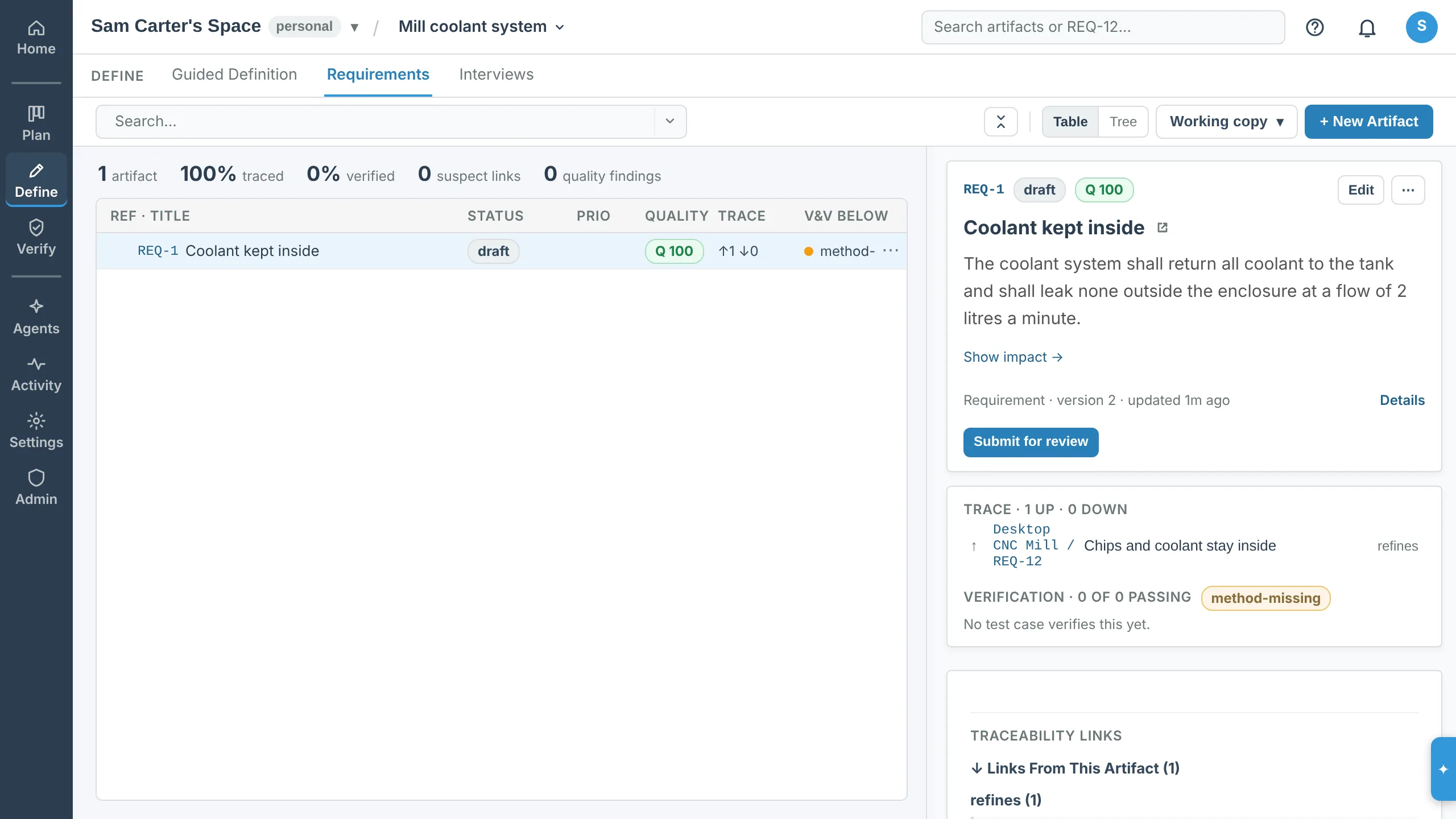
Link a requirement to the need it comes from, the design that satisfies it, the test that verifies it and the hazard it controls. Links are typed, and a link that makes no sense, such as a test satisfying a need, is refused.
When an artifact changes, every link from it is flagged as suspect until someone confirms it or changes it, so a change cannot quietly leave the rest of the project behind.
Manual: Traceability links · Video: Baselines, changes and documents · Requirements traceability
Verification and test runs
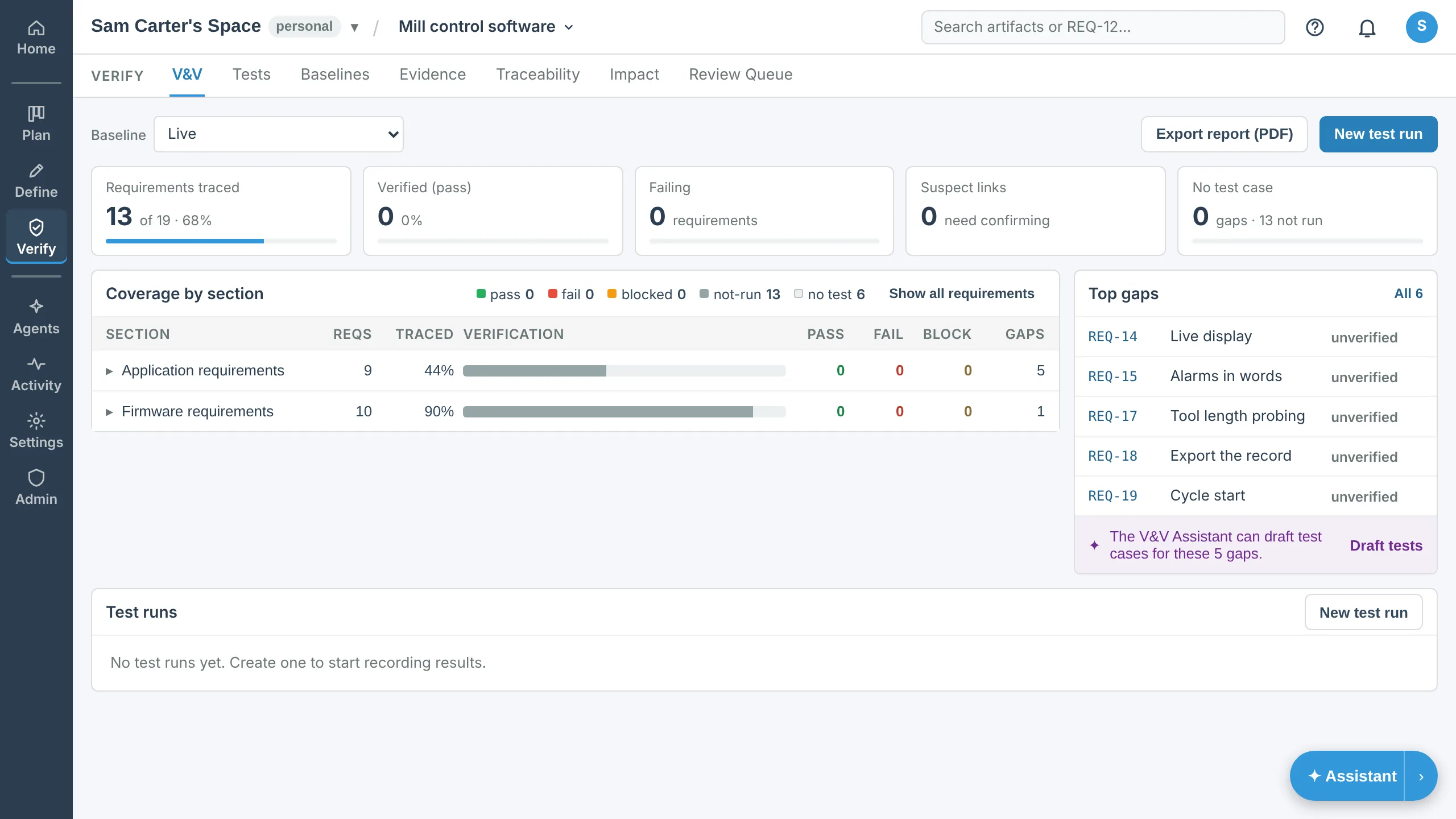
Record a test run and a result for each test case, with evidence files kept beside it. Coverage, the gap list and the traceability matrix follow the links as they change, and the V&V status downloads as a PDF report.
A requirement refined in a child project takes its result from the requirements that refine it, so a failing test in the firmware shows on the mill, two projects up.
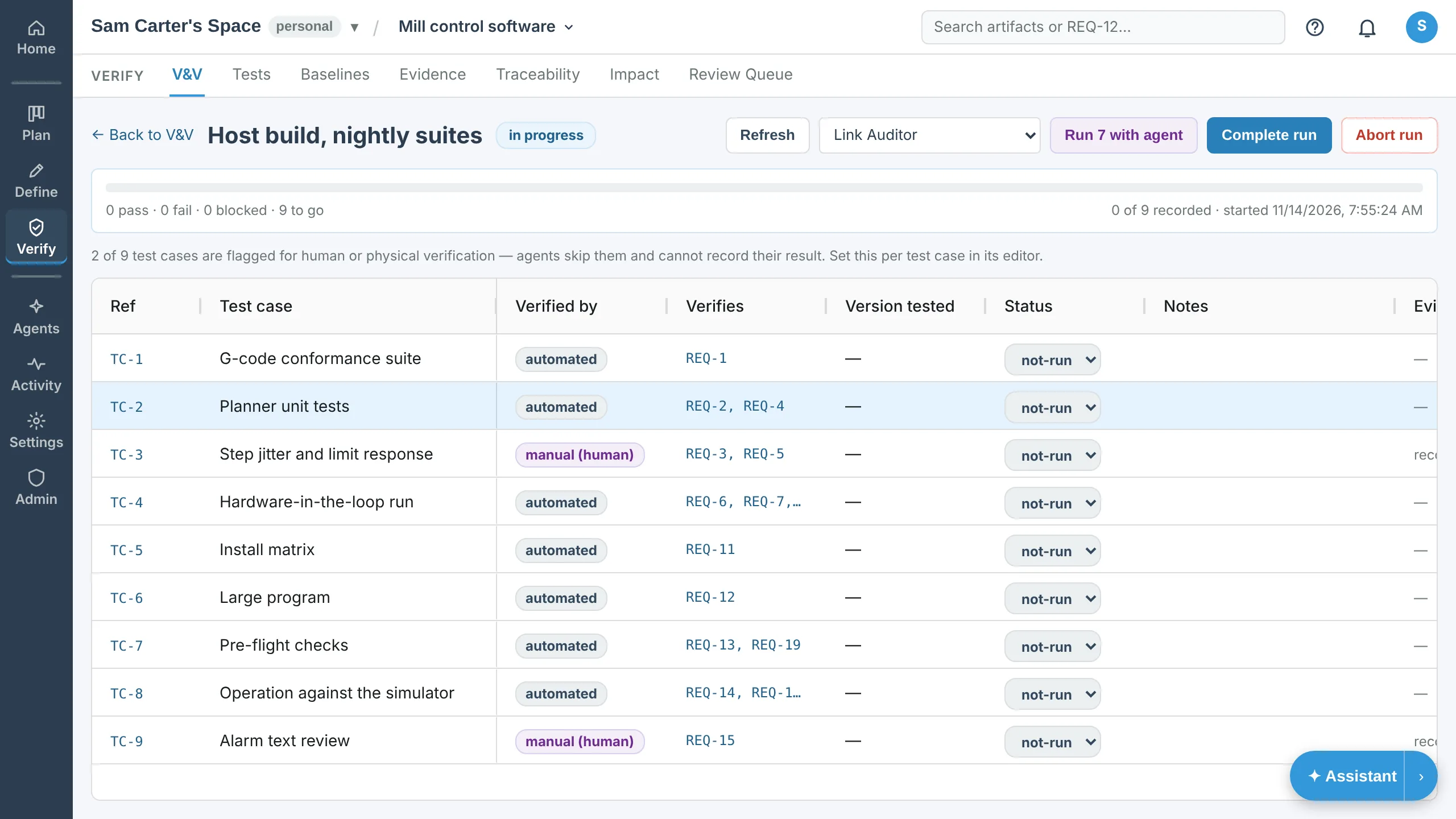
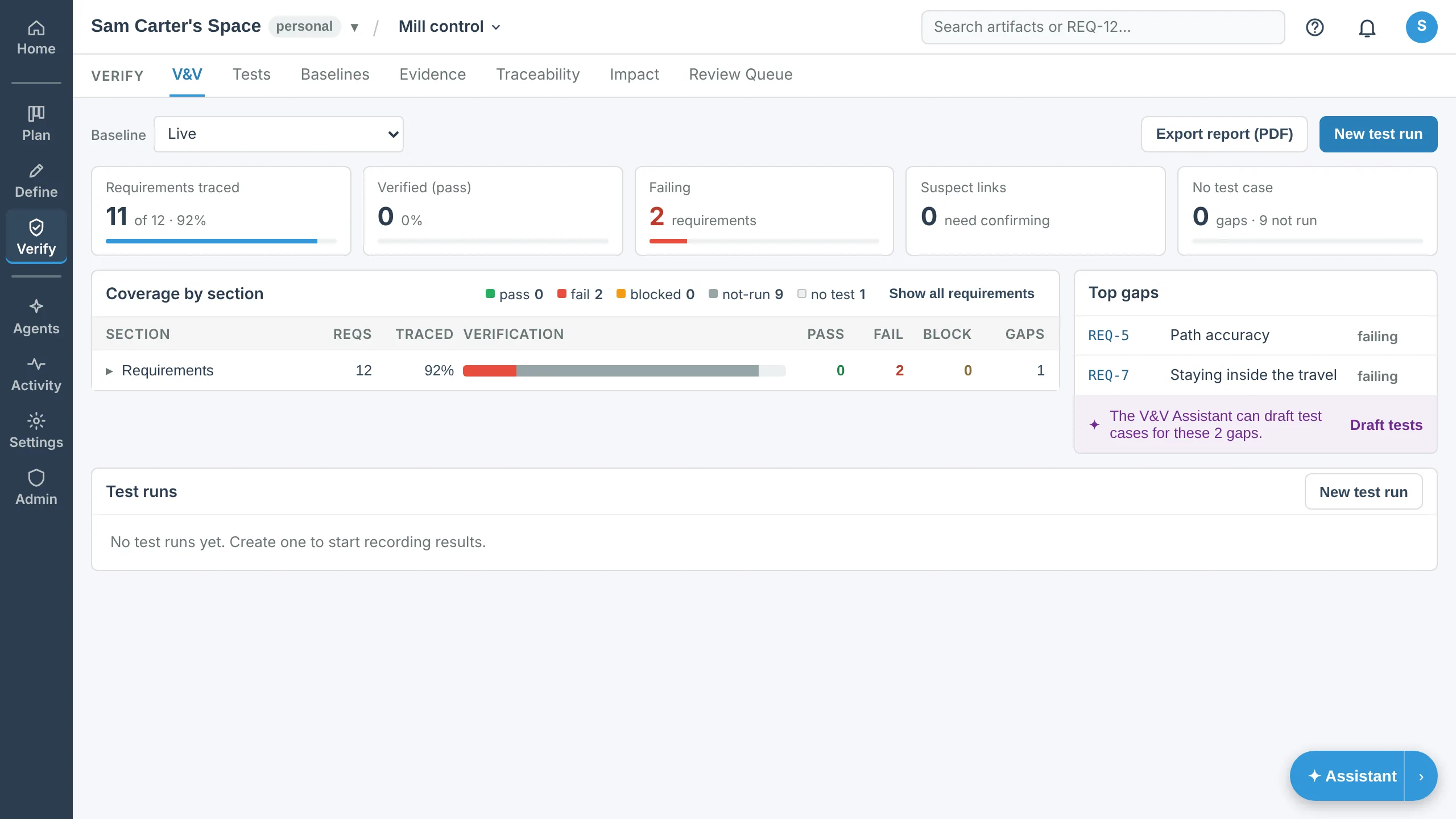
Manual: V&V & test runs · Video: Verification: test runs, coverage and flow-up · Verification evidence
The plan
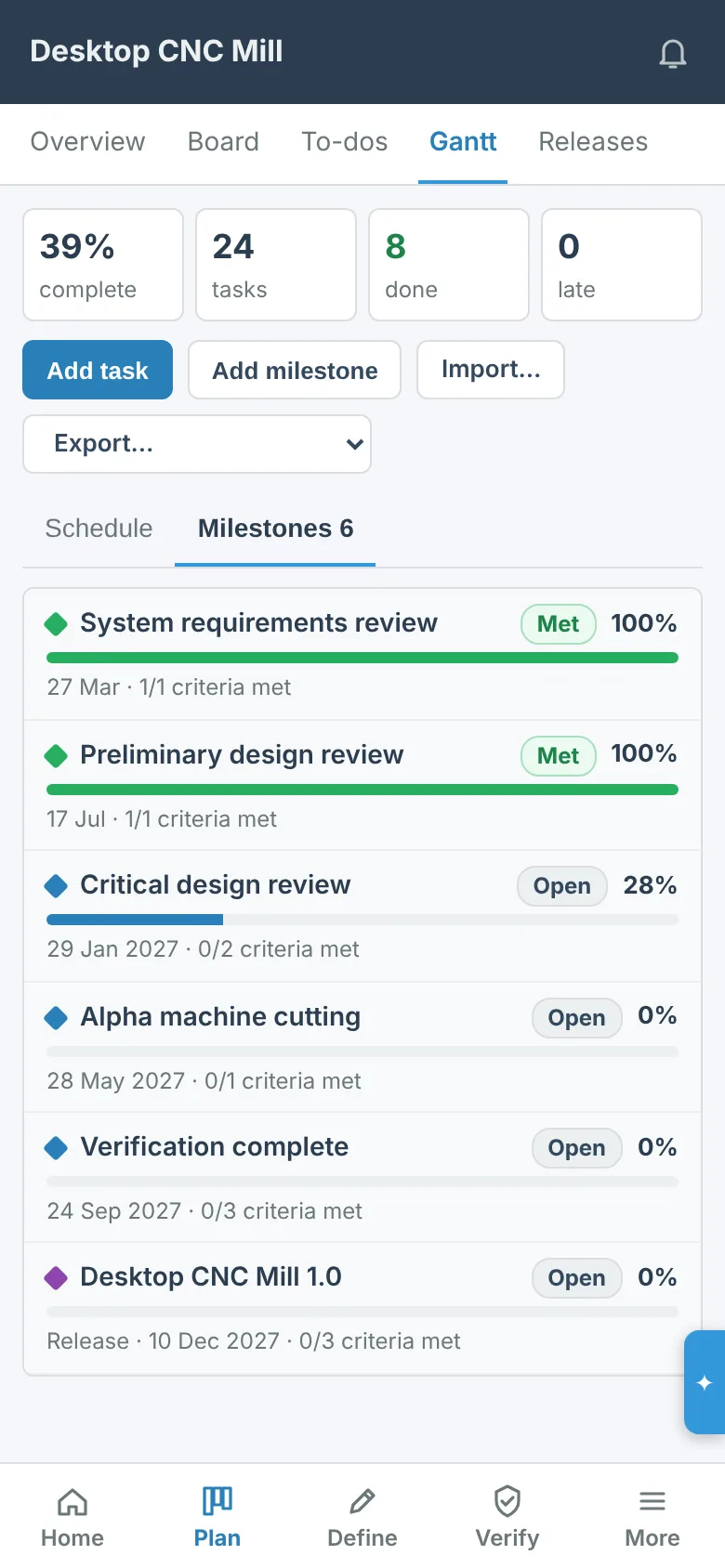
Each project has a Gantt plan: tasks and sub-tasks with dates, progress and dependencies, milestones that can wait for requirements to be approved or verified, and releases as milestones. The Timeline draws the same plan for a review.
The workspace Plan page puts every project on one chart, under the project it belongs to, with the links between their tasks and a warning in red when a date breaks one.
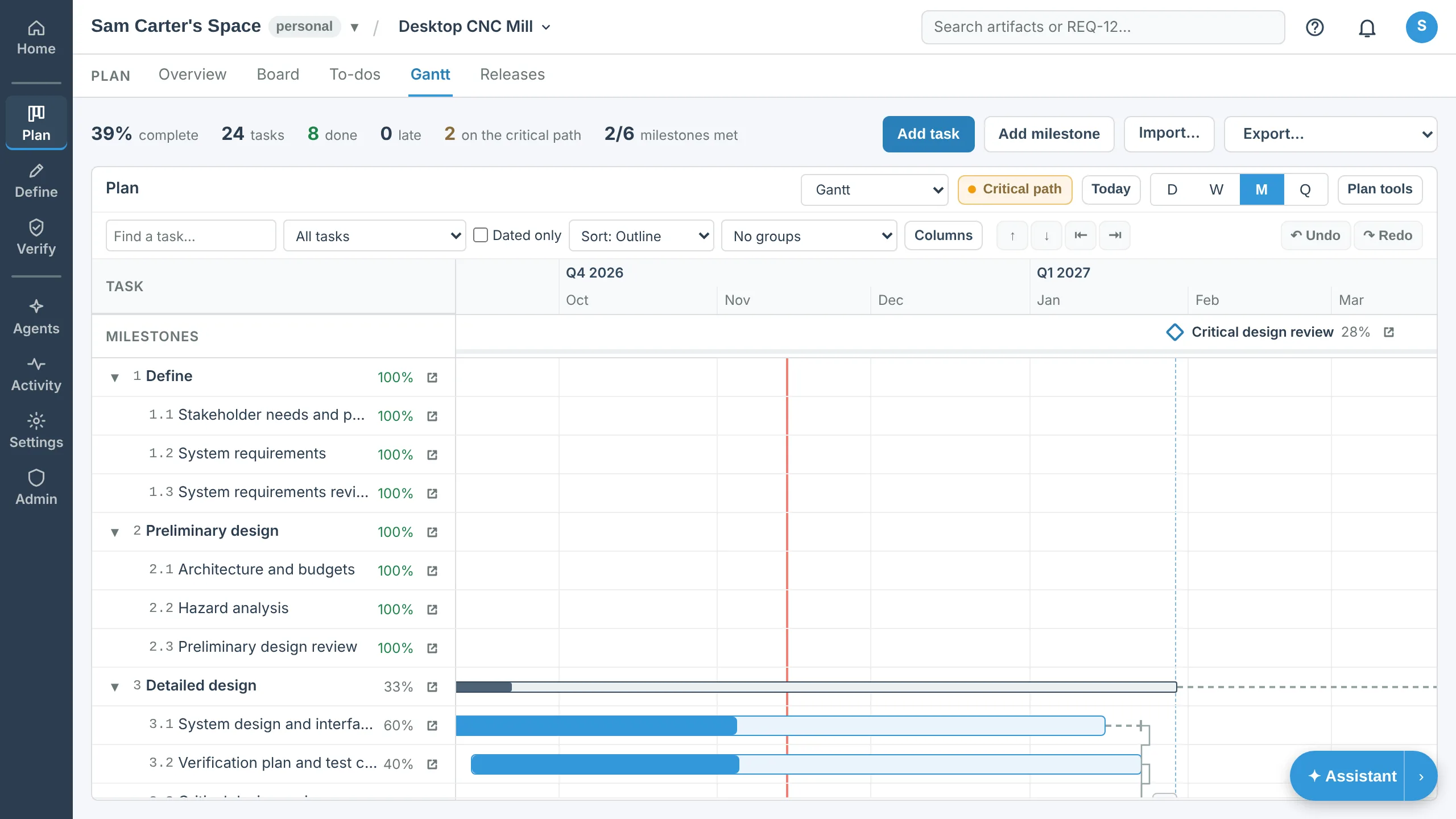
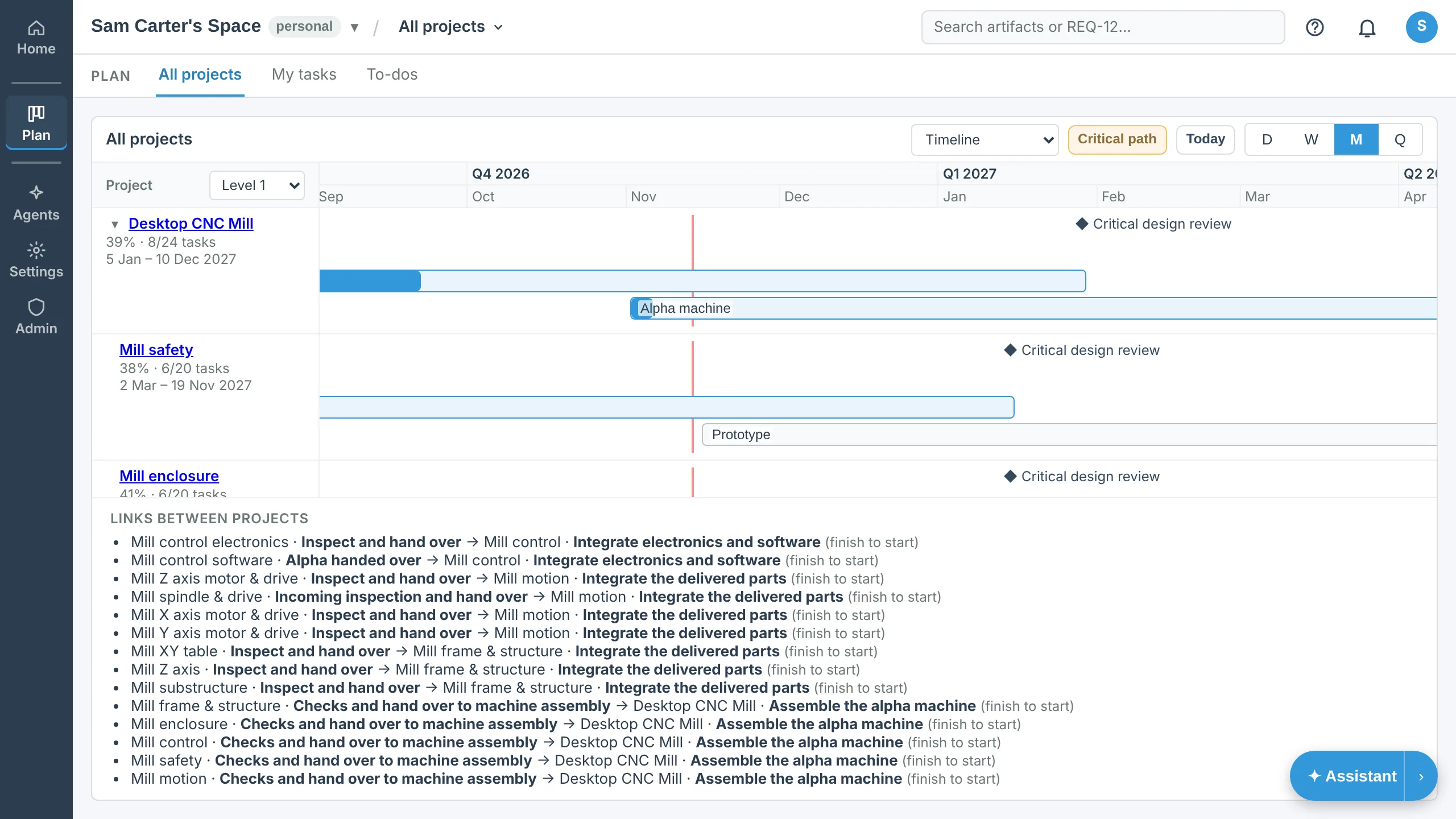
Manual: The plan (Gantt) · Video: The plan, the Timeline and All projects
Baselines and comparison
A baseline freezes the whole project at a moment, its artifacts, links and plan, and nobody can change it afterwards. Compare any two, or a baseline and the project now, for the list of what changed down to the words.
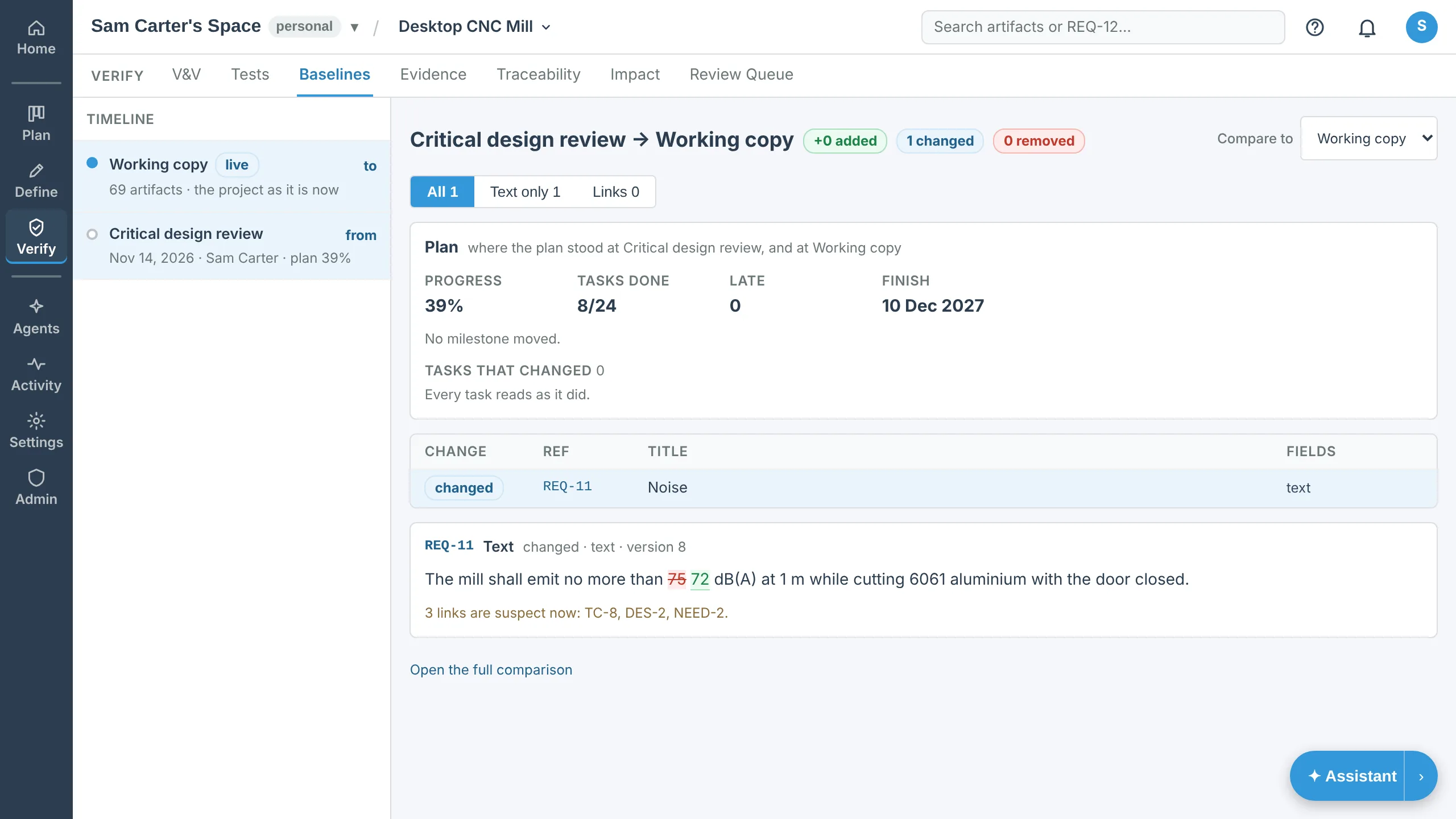
Manual: Home, Design, Tests and Baselines · Video: Baselines, changes and documents · Baselines and audit trail
Documents, export and import
Download a specification as PDF or Word with the sections and fields you choose, from the live project or a baseline. Export JSON, CSV, Excel or ReqIF for a spreadsheet or another tool, and import JSON or ReqIF. Every format is there on every plan.
Send a share link for a read-only view with no account, or a reviewer link for someone who comments without editing.
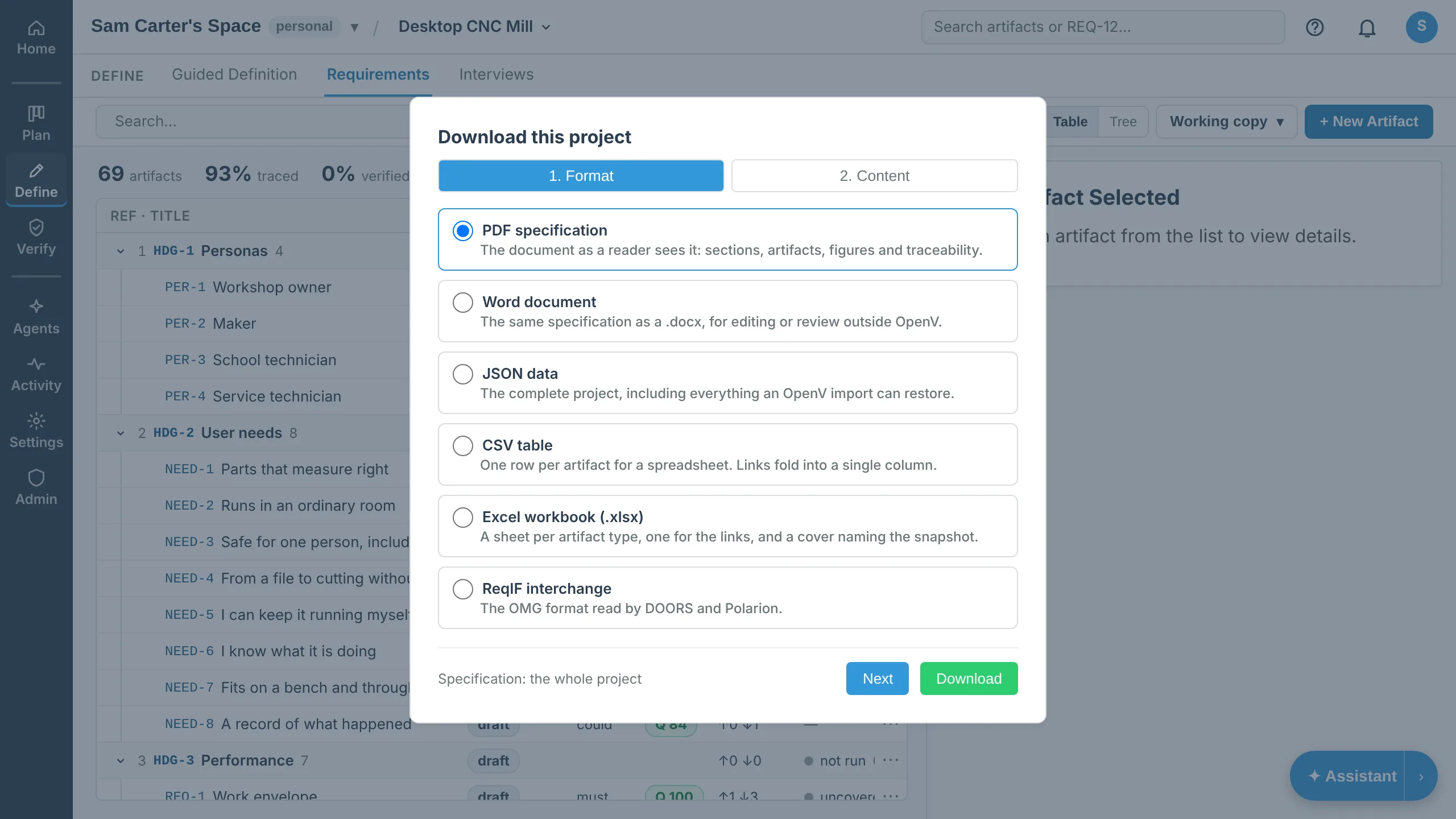
Manual: Home, Design, Tests and Baselines · Video: Baselines, changes and documents · ReqIF import and export
Agents and the V&V Assistant
Agents read a project through a fixed set of tools and, by default, write back as proposals that a person approves or rejects one by one. The V&V Assistant drafts test cases for the gaps, checks consistency and answers questions about the project.
Agents run on your own AI subscription on your own machine, on a cloud runner you lease, or on your workspace’s API keys. OpenV does not resell AI. An AI app such as Claude can also connect to a workspace directly and work as you.
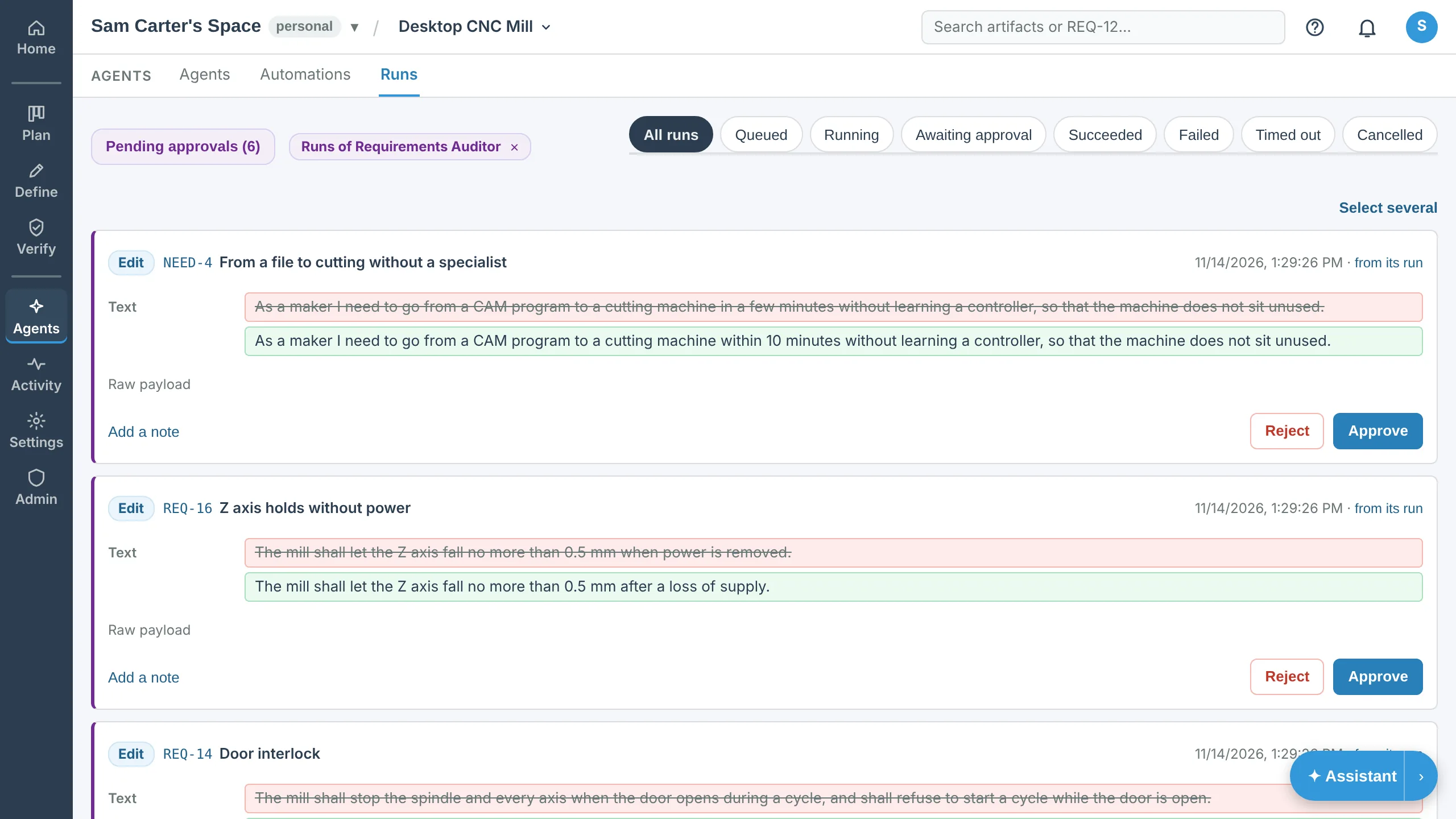
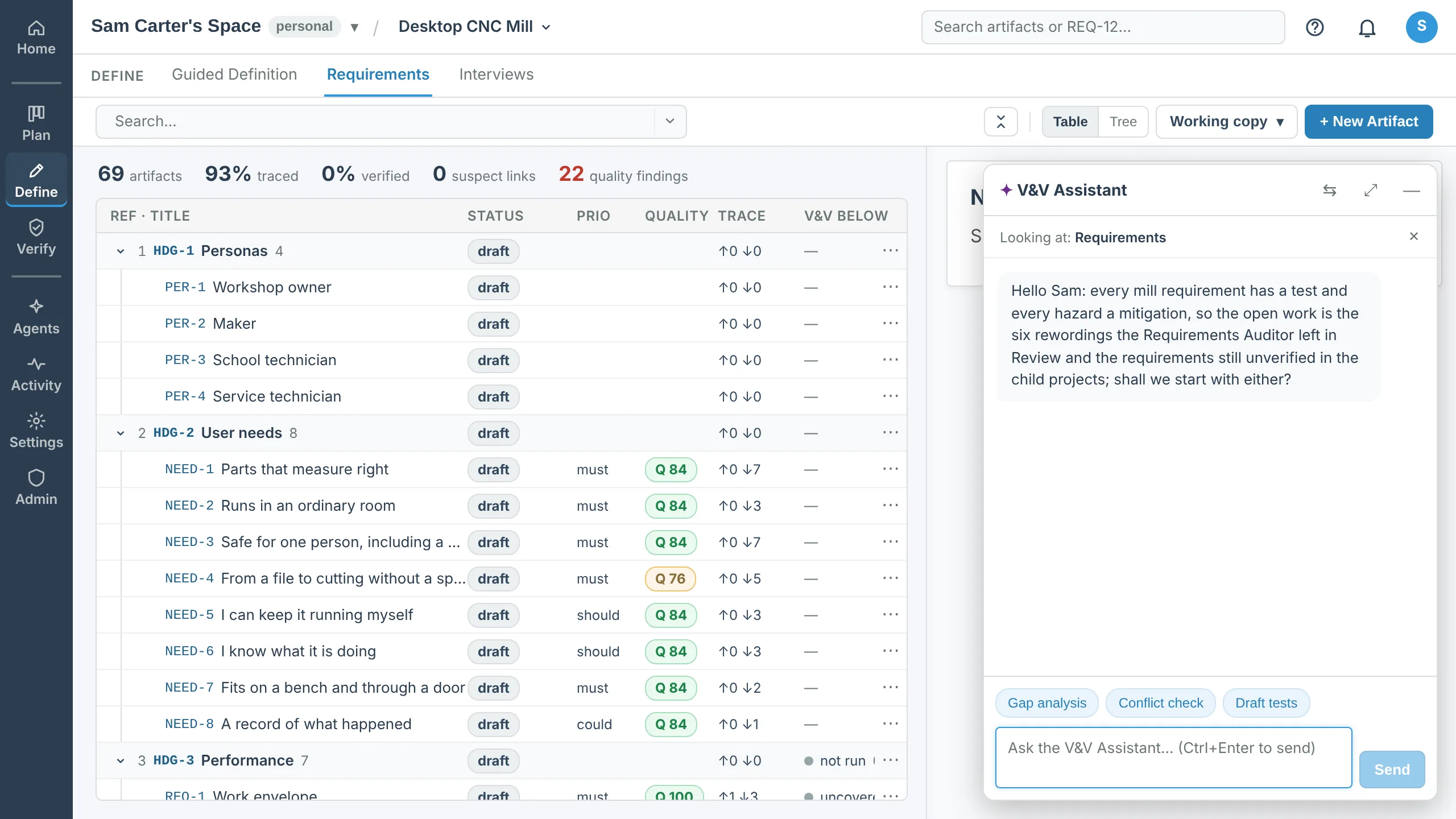
Stakeholder interviews
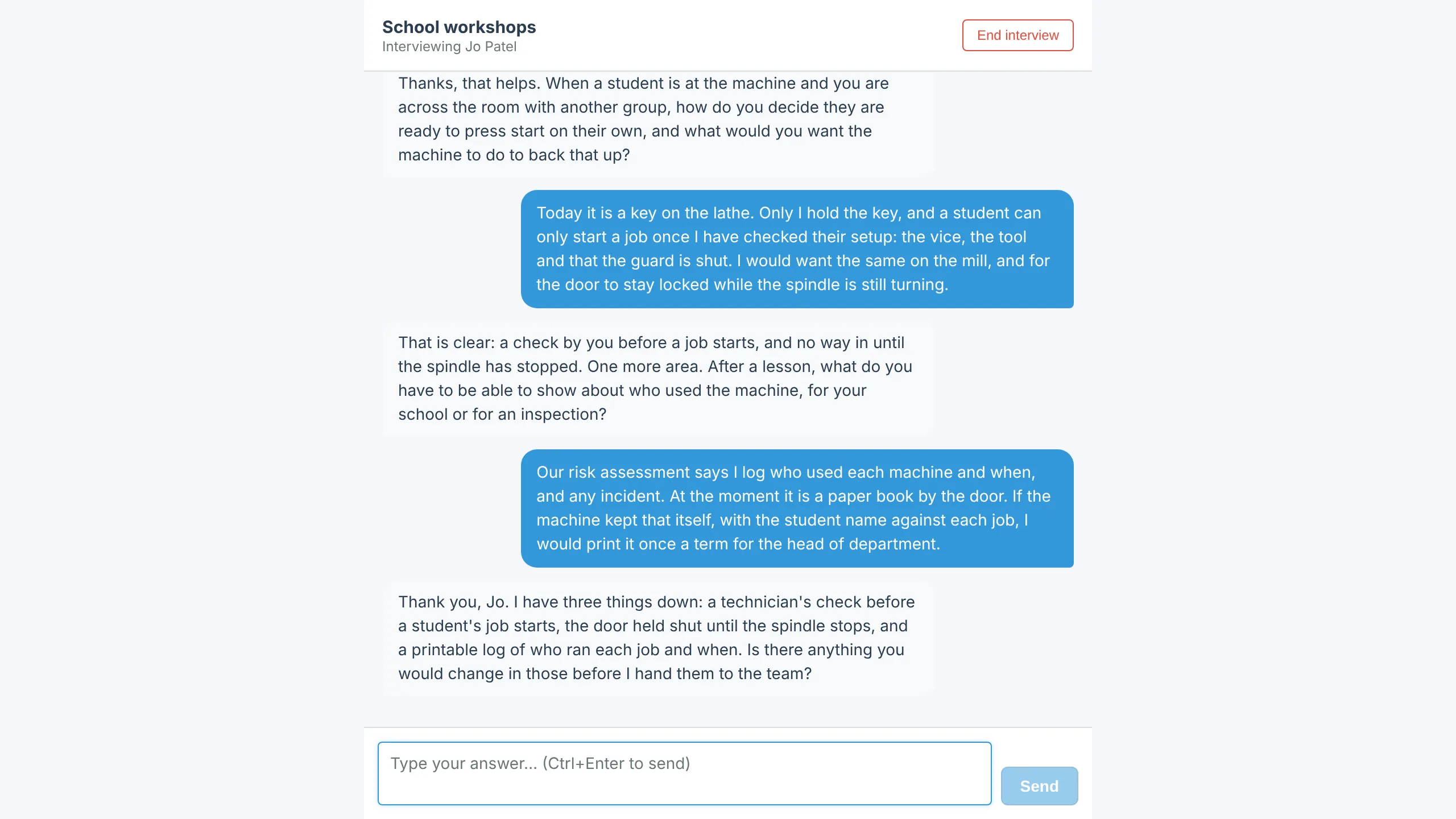
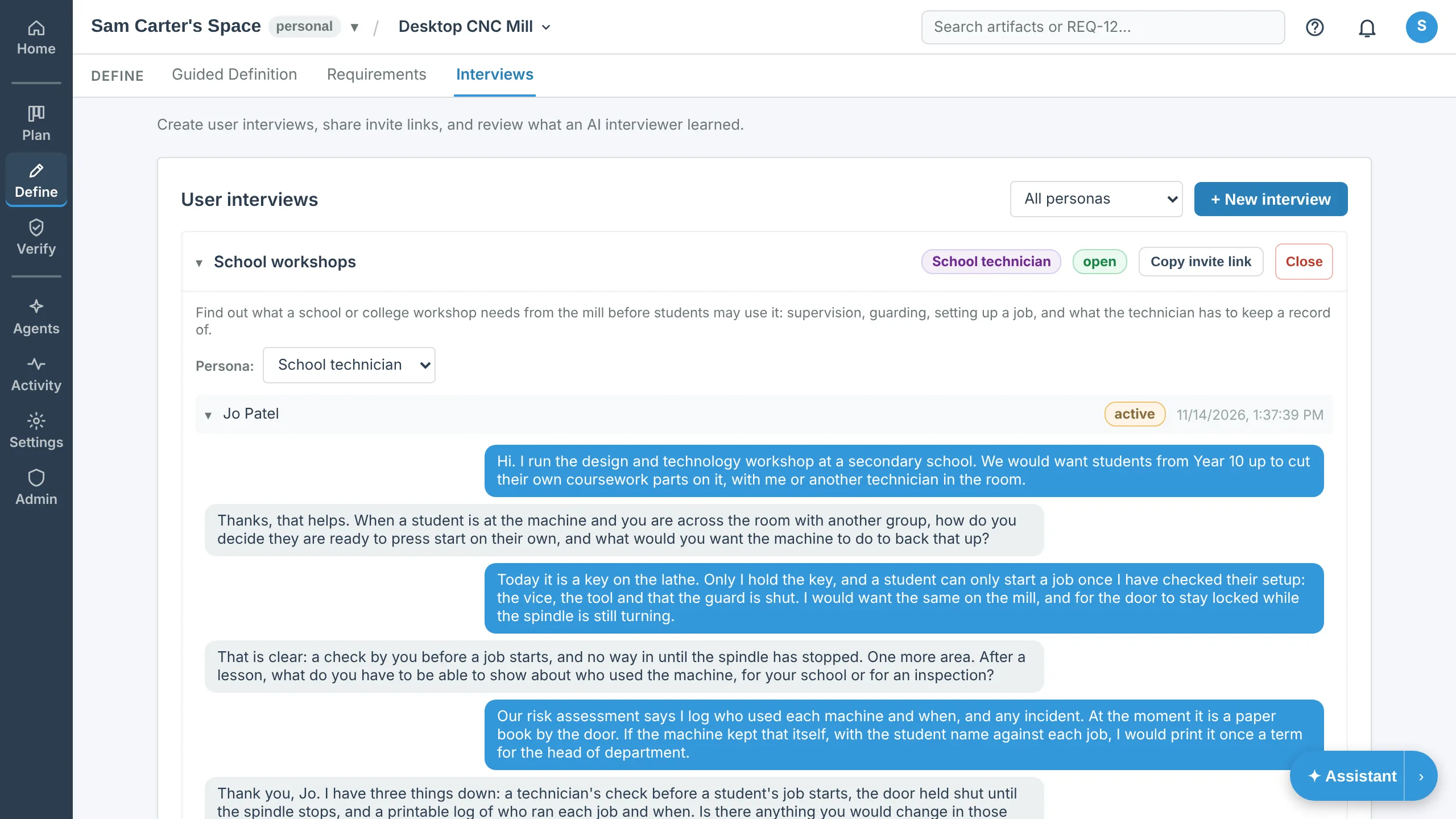
Send a stakeholder a link. An interviewer agent asks what they need and records each answer as a draft user need for your team to review.
On a phone
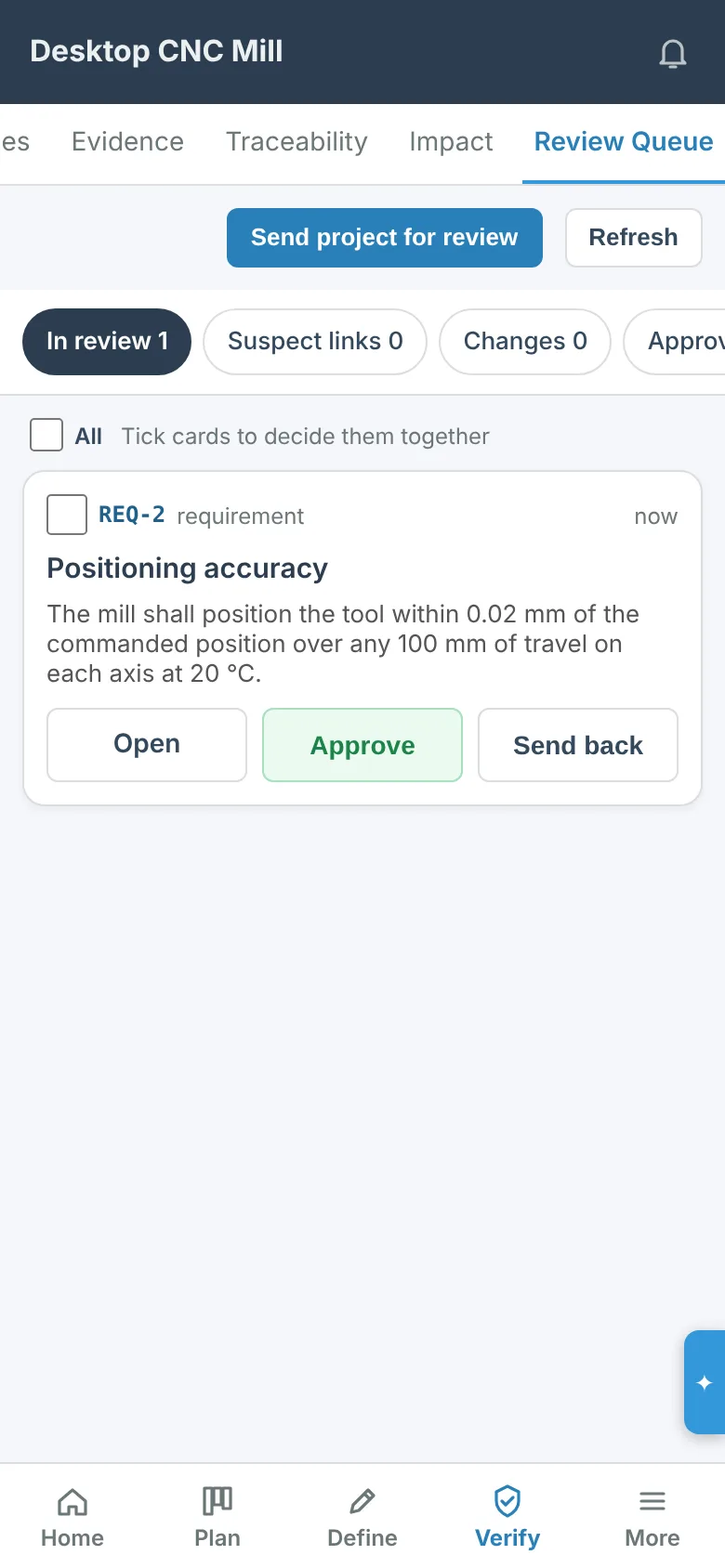
OpenV installs as an app on a phone. The requirements stack into panes, and review, approval, the board and the plan work with a thumb, with notifications as pushes.
Self-hosting
OpenV is open source under the MIT License. Run it on your own hardware with Docker Compose, with every feature and no limits from us, and move a project between the hosted service and your own server with a JSON export.
Manual: Getting started · Self-hosted requirements management